Website Structure and Crawlability: A Technical SEO Guide
 Technical SEO
Quick answerCrawlability is how easily search engines can reach and read your pages. Website structure decides whether they can find every important page through clear links. To improve both, keep a logical hierarchy, link pages together, avoid blocking key pages and fix broken links and redirects. Crawlable pages are not guaranteed to be indexed or ranked.
Quick summary
- What crawlability and indexability mean, in plain words
- How to check whether Google can reach your pages, for free
- What a good website structure and URL look like
- Common problems that block crawling, with fixes
- When to hire a technical SEO expert in Pakistan
What Is Website Crawlability in SEO?
Crawlability is the ability of search engine bots to reach and read the pages on your website.
How crawling works
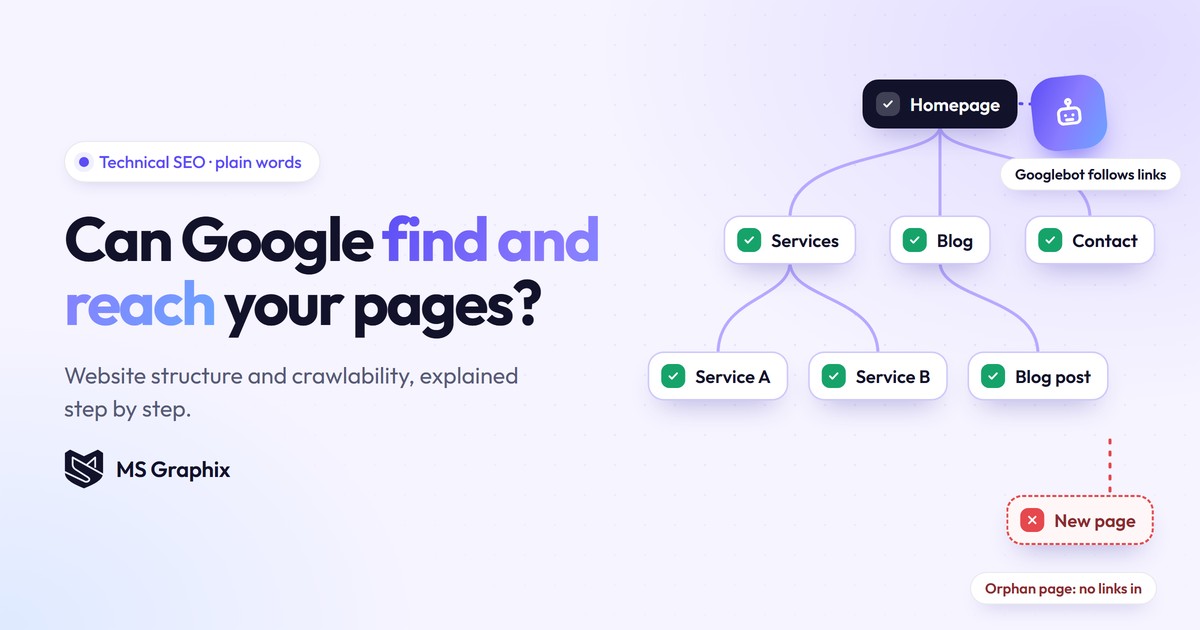
- A bot, such as Googlebot, starts from known pages.
- It follows links to find more pages.
- It reads each page’s content and code.
- It sends what it finds back for processing.
If a page has no links pointing to it, bots may never find it. These are called orphan pages.
A simple example
Your new “Local SEO Services” page exists. But no menu, blog post or page links to it. Google may miss it. Add a link from your Services page, and discovery gets easier.
Related terms
People also say accessibility to bots, site discoverability or search engine access. They all point to the same idea.
What Is the Difference Between Crawlability and Indexability?
Short answer: crawlability is about reaching a page. Indexability is about whether the page can be stored in search results.
| Stage | What happens | Can it fail? |
|---|---|---|
| Crawling | Bot reaches and reads the page | Blocked, broken or unlinked pages |
| Indexing | Search engine stores the page | Noindex tags, low quality, duplicates |
| Ranking | Search engine orders results | Competition, relevance, authority |
Can Google crawl a page without indexing it?
Yes. Google may crawl a page and still choose not to index it. A noindex tag, duplicate content or low-value content can cause this.
Why is a page crawled but not indexed?
- The page has a noindex tag
- Another URL is chosen as the main version
- The content is thin or very similar to other pages
- Google judges it not useful enough yet
Fix the cause, improve the page and request indexing in Search Console. Requesting indexing asks Google to look again. It does not guarantee a result.
How Can You Check If Your Website Is Crawlable?
Start with free tools.
Google Search Console
The URL Inspection tool shows whether Google has crawled and indexed a page. It also shows problems found. A page that looks crawlable is still not guaranteed to be indexed.
Other free options
| Tool | Best for | Limit to know |
|---|---|---|
| Google Search Console | Official crawl and index status | Needs site verification |
| PageSpeed Insights | Speed and mobile issues | Tests one URL at a time |
| Screaming Frog SEO Spider (free) | Finding broken links, redirects, titles | Free version crawls up to 500 URLs |
What to look for
- Broken links and error pages
- Redirect chains
- Orphan pages
- Pages blocked by robots.txt
- Pages with noindex
What Is the Best Website Structure for SEO?
A clear, logical structure that helps people and bots reach important pages quickly.
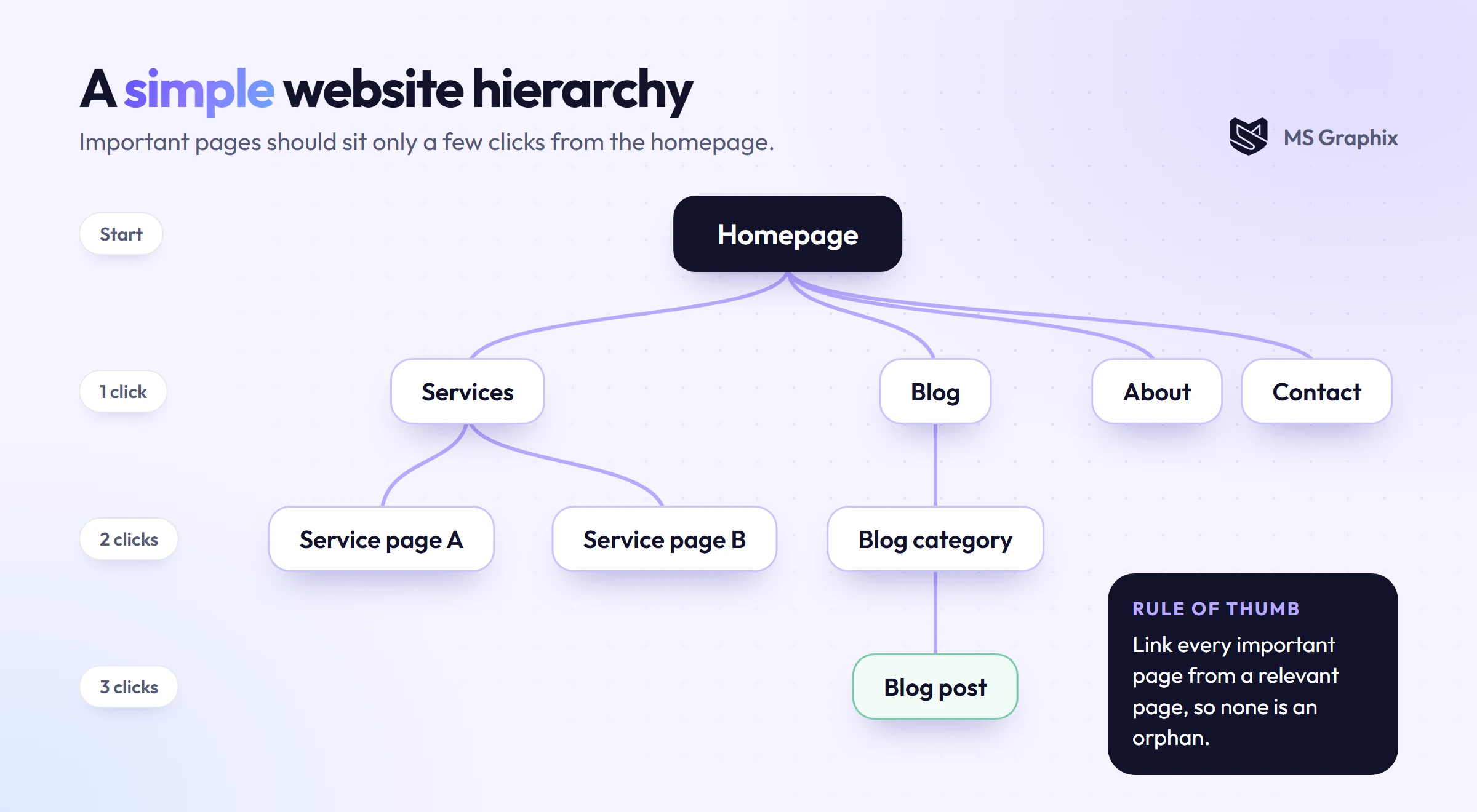
A simple hierarchy
- Homepage
- Services
- Service page A
- Service page B
- Blog
- Blog category
- Blog post
- Blog category
- About
- Contact
- Services
Structure tips
- Keep important pages within a few clicks of the homepage
- Group related pages in clear categories
- Link related pages to each other
- Use a clean navigation menu
- Fix orphan pages by linking to them from relevant pages
Flat vs deep structure
A flatter structure keeps key pages closer to the homepage. Very deep structures can hide pages. Balance is the goal. Large sites still need categories.
How to structure different page types
| Page type | Where it sits | Link to it from |
|---|---|---|
| Service page | Under Services | Menu, homepage, related blog posts |
| Blog post | Under Blog or category | Blog hub, related posts, service pages |
| Category page | Under main section | Menu and parent page |
Need help with structure and internal links? See our technical SEO service and our SEO services.
What Are the Best URL Practices for SEO?
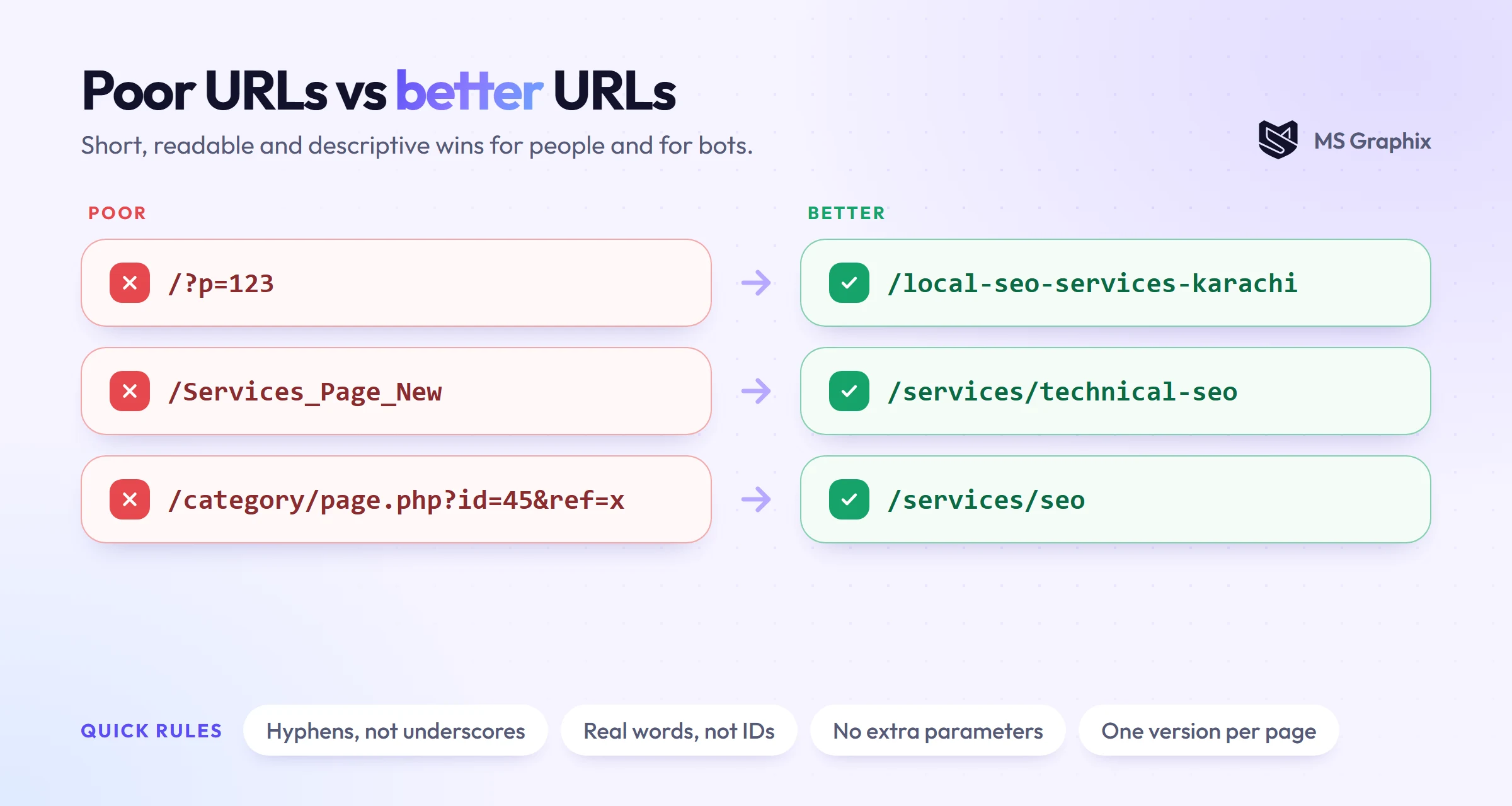
Google recommends readable, descriptive URLs, hyphens between words and avoiding unnecessary parameters.
Good vs poor URLs
| Poor | Better |
|---|---|
| /?p=123 | /local-seo-services-karachi |
| /Services_Page_New | /services/technical-seo |
| /category/page.php?id=45&ref=x | /services/seo |
More URL tips
- Keep URLs short and readable
- Use keywords naturally, not stuffed
- Use hyphens, not underscores
- Avoid duplicate versions of the same page
- Use redirects when you change a URL, and keep chains short
English and Urdu content
If your site has both languages, keep a clear, consistent structure for each. Use hreflang tags to link language versions. Many sites use English slugs for stability, but choose what fits your audience, and keep it consistent.
Which Technical Issues Block Crawling?
| Issue | What it does | Fix |
|---|---|---|
| Robots.txt blocks key pages | Stops bots from crawling them | Review and remove wrong rules |
| Noindex tag on important pages | Tells Google not to index | Remove noindex from pages that should rank |
| Broken links | Waste crawl effort, frustrate users | Fix or redirect |
| Redirect chains | Slow crawling | Point links to the final URL |
| Missing from XML sitemap | Pages harder to discover | Add key pages |
| JavaScript hides content | Bots may miss it | Make important content visible in HTML |
| Server errors or slow pages | Bots give up | Fix hosting and speed |
| Duplicate content | Confuses which page to index | Use canonical tags |
A sample audit issue and fix
Issue: a key service page has a noindex tag left over from the design stage. Impact: Google may keep it out of results. Fix: remove the tag, check robots.txt, add the page to the sitemap and request indexing.
WordPress and Shopify
Check your SEO plugin or theme settings. Look for noindex boxes, duplicate URLs from filters and parameters, and unwanted archive pages.
How Do You Improve Crawlability Step by Step?
- Audit. Run a crawl with a tool and review Search Console.
- Check directives. Review robots.txt, XML sitemaps and noindex tags.
- Improve internal links. Link important pages from relevant pages.
- Fix URLs. Repair broken links, redirects and canonical issues.
- Make content accessible. Ensure key text loads in HTML.
- Improve speed and mobile. Use PageSpeed Insights, or read our Core Web Vitals guide.
- Validate and monitor. Check Search Console after fixes.
Want an expert to handle it? Explore our technical SEO services.
How Does Crawlability Affect SEO and AI Search?
Crawlable, well-structured sites are easier for search engines to understand. AI search tools also rely on accessible pages.
- Make sure AI crawlers are not blocked unless you choose to block them
- Keep key content in plain HTML where possible
- Use clear headings and direct answers
- Keep business details consistent
Be realistic. Improving crawlability does not guarantee higher rankings or AI citations. It removes barriers so your content has a fair chance. For more on crawler controls, read how AI search chooses its sources.
What Is Included in Technical SEO Services in Pakistan?
A technical SEO service usually covers:
- Crawl and indexing audit
- Site structure and internal linking review
- URL and redirect fixes
- XML sitemap and robots.txt checks
- Speed and mobile review
- Structured data checks
- Support for WordPress, Shopify or custom sites
It can help businesses in Karachi, Lahore, Islamabad and other cities where the service is available.
Consultant or agency?
- Consultant: focused advice, lighter capacity
- Agency: broader team, can also handle content, development and GEO or AEO support
How much does a technical SEO audit cost?
We will not quote a price, because audits vary. Ask for a written scope. Cost factors include:
- Size and complexity of your site
- Depth of the audit
- Platform and custom code
- Whether fixes are included
- Reporting and follow-up support
Is a free crawl enough? It helps find obvious errors. A professional audit interprets the results, prioritizes fixes and ties them to business goals.
How to choose a provider
- Ask what the audit covers.
- Ask for a sample report.
- Check experience with your platform.
- Ask who implements the fixes.
- Look for honest talk about limits and timelines.
To see how we approach projects, browse our illustrative case studies, or contact us.
FAQs
What is crawlability in SEO?
Crawlability is how easily search engine bots can reach and read your pages. Clear links, working URLs and no accidental blocking help. It does not guarantee indexing or ranking.
What is the best free crawlability checker?
Google Search Console is the best starting point for official crawl and index status. Screaming Frog’s free version helps with broken links and redirects, but it crawls up to 500 URLs.
Can Google index a website without a sitemap?
Yes. Google can find pages through links. A sitemap helps, especially for large or new sites, but it does not guarantee indexing.
How long does it take Google to recrawl after fixes?
There is no fixed time. It can take days or longer, depending on your site. Use Search Console to request indexing and monitor progress.
Can a website rank if some pages are not indexed?
Yes. Pages that are indexed can rank. But if important pages are not indexed, they cannot appear in results, so find out why.
Conclusion
Good structure and crawlability give your content a chance to be seen. Fix blocks, link pages clearly and keep checking Search Console.
If you want an expert team to review your site, MS Graphix can help with technical SEO audits and fixes.
Want to learn more first? Explore our technical SEO services. Ready to talk? Book your technical SEO consultation with MS Graphix.
Sources & further reading
- Google Search Central: URL structure best practices
- Google Search Central: Block Search indexing with noindex
- Search Console Help: URL Inspection tool
- Semrush: What are crawlability and indexability of a website?
- Yoast: SEO basics, what is crawlability?
- Search Engine Land: Crawlability 101
- Screaming Frog: SEO Spider pricing and limits
This article is for information only. Search engine behavior and tools change often. No one can guarantee crawling, indexing, rankings or AI citations. Check current Google guidance before making changes.